Vertex Studio Documentation
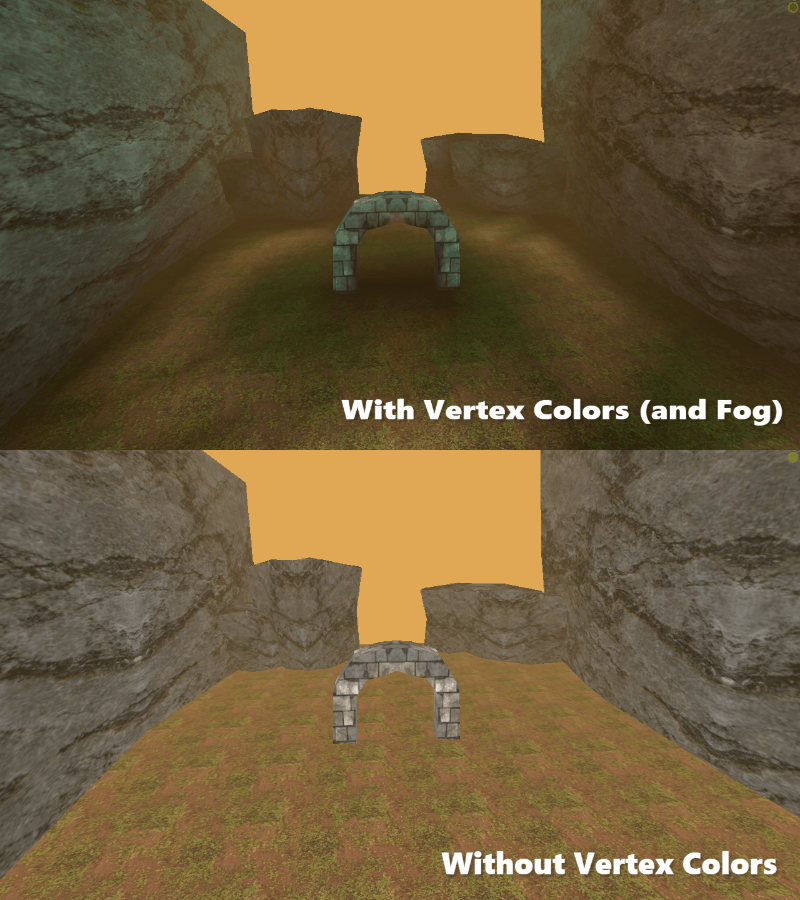
Vertex Studio is a Godot plugin for editing, managing and painting vertex colors and vertex normals of 3D meshes. A complete solution for vertex painting inside the Godot editor. Vertex Studio is a must-have tool for making games inspired by PS1, N64 or early 2000s PC games aesthetics, but it’s useful even in modern workflows, since vertex coloring can also be used for texture blending and masking.
It has tools for:
Painting and filling vertices (brush, eraser, opacity adjustment, brush falloff, color palettes, bucket fill, blur, color replacement by threshold, individual RGBA channel selection).
Supports both static and skeletal/skinned animated meshes.
Selecting vertices (lasso, rectangle and ellipse selection); linked by material selection (like Blender).
Changing vertex and face normals between hard and smooth.
Painting individual vertices or split vertices (shared vertices of hard edges, allowing for multipler colors in a single “physical vertex”).
Grouping vertices into vertex groups like Blender.
Creating and managing variations/snapshots of vertex colors, selections and vertex smoothness topology, creating non-destructive variations of a single mesh.
Switching between mesh variations at runtime and blending between variations.
Bindable shortcuts for all tools and actions.
Mesh tools: export from Godot to gLTF and OBJ.
Available in two versions: GDScript (for low poly and retro games) and C++ GDExtension (supports millions of vertices).
See Vertex Studio features in details for detailed information about each feature.
Where to get it
See the Installation page.
How to use it
See the Quickstart Tutorial page.
Need help?
See the Support page.