R/G/B/A Channels
Color channel selection is available in the Paint Settings section, after Swatches, in Channel:
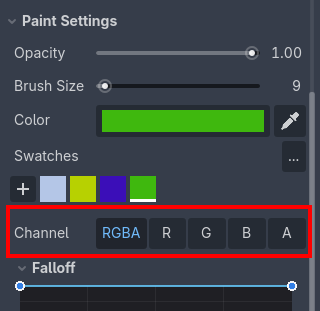
Default mode:
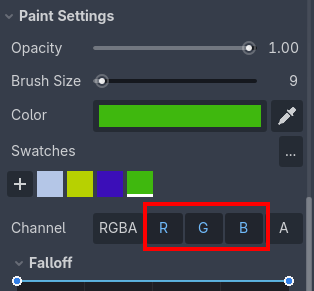
RGBA(all channels).Single channel mode: click the separate
R,G,BorAbuttons to paint in the respective channel.Additive mode: hold Shift and click the
R,G,BorAbuttons to paint in the respective channel additively.
Grayscale value painting
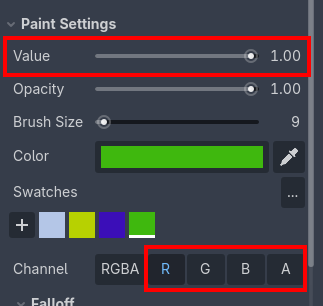
The Value slider appears after selecting just one of the individual channels. It represents the channel grayscale value. Range is from 0.0 to 1.0, where 0.0 is pure black and 1.0 is white.
To set the value of the channel, you can use the Brush, Eraser or the Fill tools normally. Selections, brush size and opacity are respected.
Channel visualization and debugging
Usage examples
For example, you can use the alpha (A) channel as a weight factor for multi-texture blending. See Multi-texture blending with vertex colors.